Features
AI employees that draft, and people who decide
Wetel gives a small team AI employees with clear roles, a workflow engine that runs their work, and an owner who approves what matters. Each section below says plainly whether it is live, in pilot or planned.
Live: running in production and usable today. Pilot: works on staging or in demo workspaces, or the code is in production but switched off until enabled for a workspace. Not offered as a general production feature yet. Planned: designed or partly built, not usable yet.
// AI Office
See your AI employees at work
Pilot Pilot: runs on staging and demo workspaces.
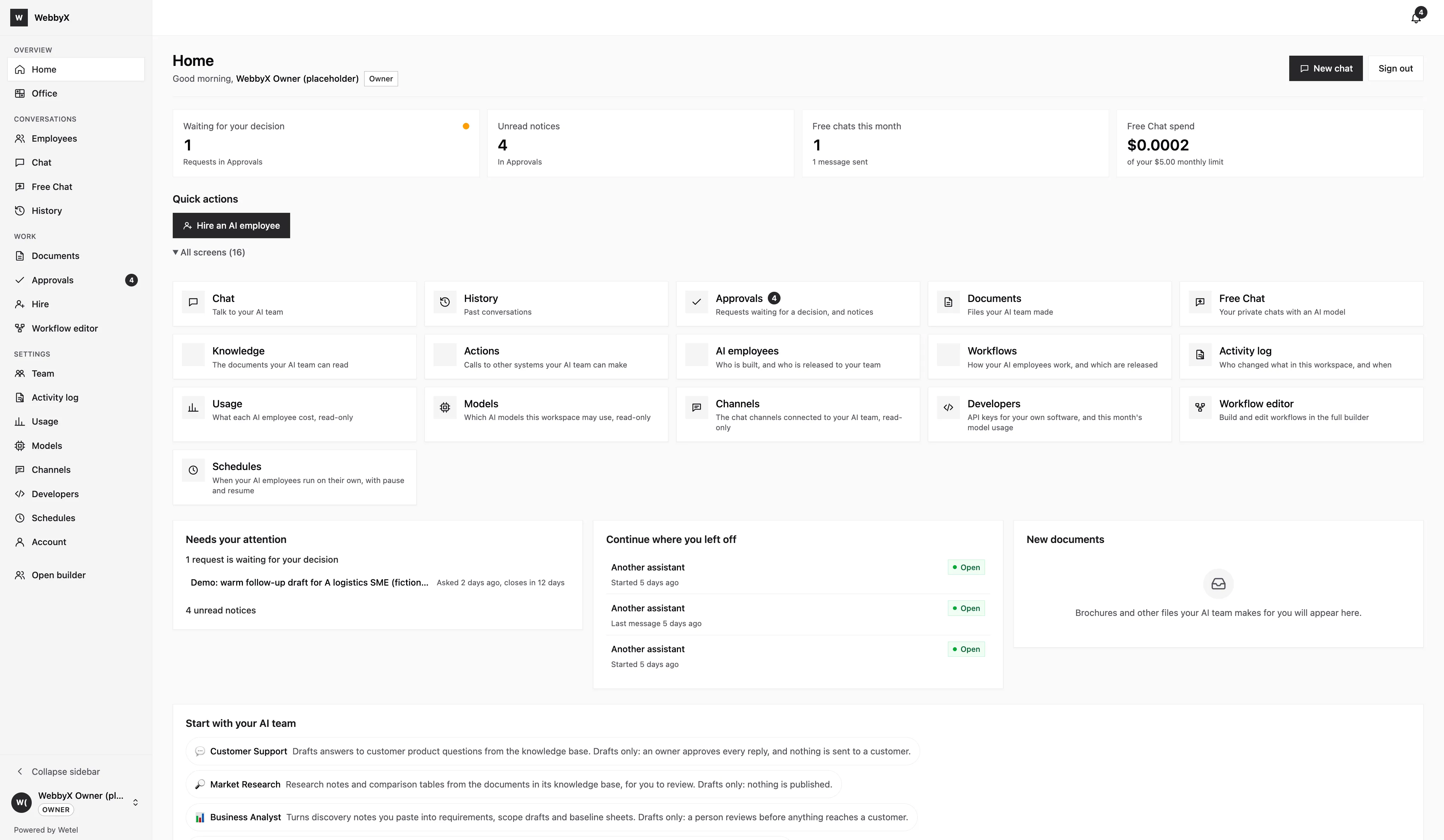
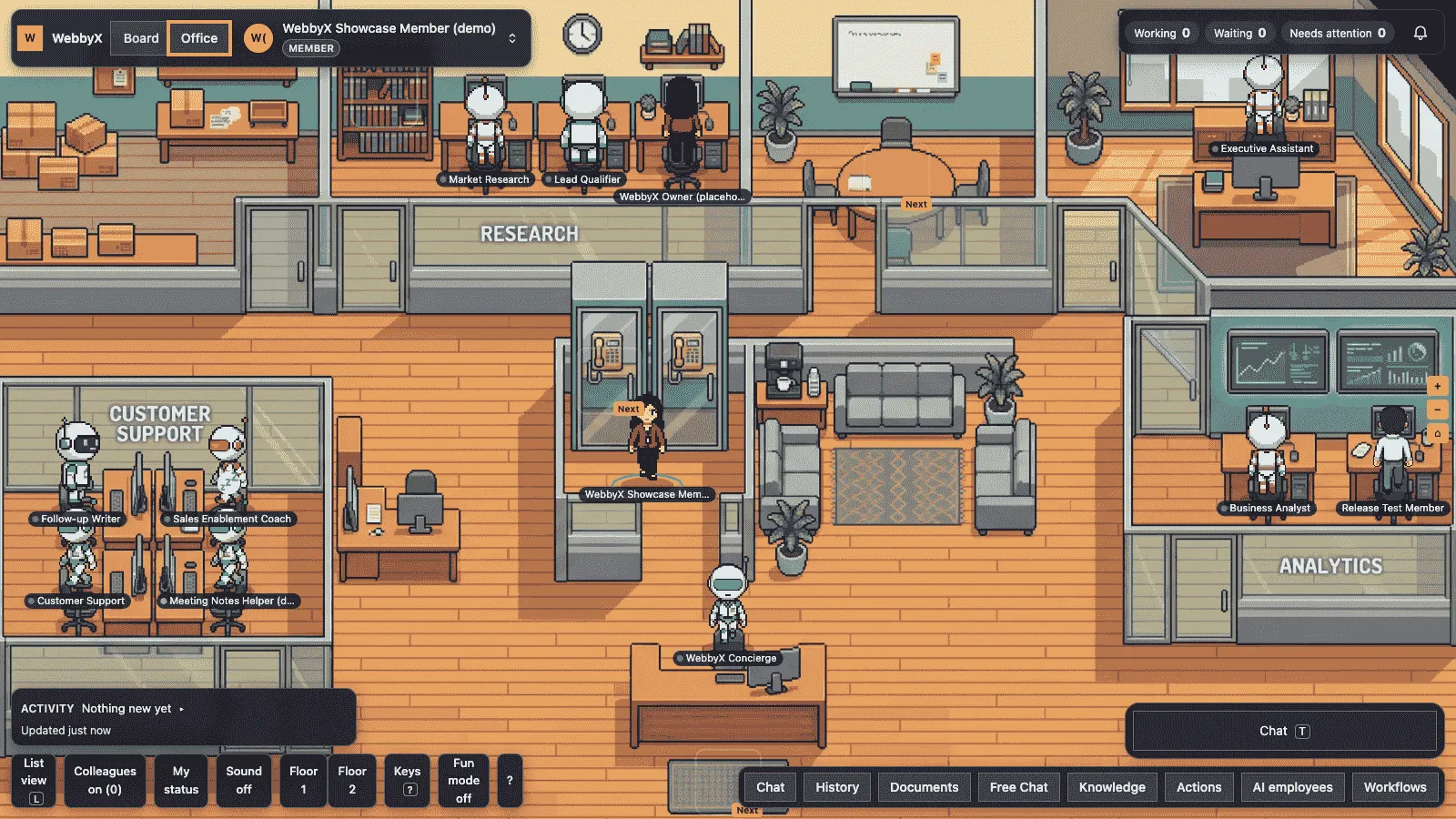
The AI Office shows your AI employees as a team. You can see who is working, what is waiting and what needs your decision.
- A board view lists every AI employee and the tasks they hold.
- Office views show the same team by floor and by room.
- Open an employee to see their recent work and approvals.
// AI employees
Hire an AI employee from a role template
Live Pilot: the hire gallery runs on staging and demo workspaces. The catalogue behind it lists 24 role templates.
A role template is a ready starting point for a job, such as sales follow-up or support triage. You hire one, add your own knowledge, and keep it as a draft until you are happy.
- 24 role templates published in the catalogue (checked 2026-11-05); the hire gallery that presents them is a pilot.
- Knowledge bases are available now: upload your documents and the employee answers from them.
- A new AI employee starts as a draft. You release it when you decide.
// Channels
Meet customers where they already are
Live Live: web chat, Telegram, API. Voice calls and WhatsApp groups are coming.
An AI employee can answer through your own app, a web chat or a messaging channel. The same employee and the same workflow serve every channel.
-
GraphQL API Live
Build your own interface against the same API we use.
-
SDK web chat Live
Embed a chat widget on your site.
-
Telegram Live
Connect a Telegram bot to an AI employee.
-
WhatsApp Live
Available through a partner messaging platform.
-
Browser and phone voice calls Pilot
Not available in production yet.
-
WhatsApp groups Planned
Not available in production yet.
// Workflow engine
Work that follows steps you can read
Live Live: approvals, retries, structured output and scheduled runs.
A workflow is a visual graph of steps. Each step can call a model, read a knowledge base, call a tool or wait for a person. You can test a draft before you publish it.
- Approvals: a step can pause until an owner says yes or no.
- Retries: a failing step retries by the policy you set, then follows a failure path.
- Structured output: ask a model for a fixed shape and get it validated.
- Scheduled runs: start a workflow on a schedule instead of a message.
Demo workspace, fictional data

// Files and media
Generate a voice-over, a jingle or an explainer video
Pilot Pilot: file generation runs on staging and demo workspaces, with daily limits per workspace. Not offered as a general production feature yet.
A workflow can produce files for you to use: a voice-over, a short jingle or an explainer video. Generated files are drafts for a person to review.
- Voice-over from a script.
- A short jingle for a campaign.
- An explainer video made from your own text and images.
// Owner control room
One place for the owner to stay in control
Pilot Pilot: Developers, Schedules and the workflow editor run on staging and demo workspaces. Owner approvals, the audit log and API keys are available now.
Owners manage who can do what and see what happened. Two roles exist today: OWNER and MEMBER.
- Owner approvals and an audit log, available now.
- API keys for your developers, available now.
- A Developers page for keys and usage, in pilot.
- A Schedules page for timed runs, in pilot.
- A workflow editor window and a sign-in handoff between apps, in pilot.
// Autonomy ladder
How much an AI employee does on its own is your choice
Four rungs, from a draft that a person sends to full autonomy with a trace. The first two are built today. The last two are planned and are not available.
- Rung 1
Assisted draft
The AI employee drafts a reply or a next step. A person reviews, edits and sends it. New AI employees start here.
Live - Rung 2
Owner approves
Anything consequential waits for a named owner to approve or reject it before it happens. If nobody decides in time, the step follows an expiry path you set.
Live - Rung 3
Auto under a threshold
Routine work below a limit you set goes through without a click. Above the limit it still asks. Not built yet.
Planned - Rung 4
Runs alone, with a trace
Chosen tasks run without approval, and every step is kept in a trace you can read. Not built yet.
Planned
Every run is traced step by step today, whichever rung a task sits on. A role template starts on rung 1.
Want to see it with your own use case?
Tell us what you want an AI employee to do. We will show what works today and what is still in pilot.